WooCommerce Integration

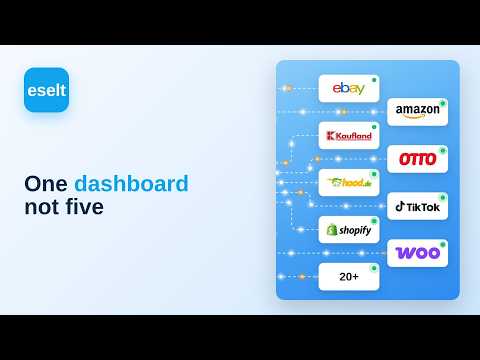
Your WooCommerce store as the hub for eBay, Amazon, Kaufland and OTTO

With the free Eselt plugin you take your WooCommerce products to the marketplaces. Eselt keeps stock and prices in sync automatically and orders land in WooCommerce.

What You Get

WooCommerce stays your hub, Eselt handles the rest on the marketplaces.

AI Assistant

WooCommerce items marketplace-ready in three clicks

A WooCommerce product rarely has everything marketplaces ask for: eBay wants item specifics, Amazon a product type, Kaufland an EAN. The AI Assistant adds the missing details from your product images and shop data, tailored to each marketplace and for many items at once.

  • Select products and let the AI Assistant fill the gaps
  • Required fields for eBay, Amazon, Kaufland, OTTO and hood.de
  • Nothing is sent until you approve it
Price rules

One price in WooCommerce, the right price on every marketplace

WooCommerce is your price source. Per marketplace you add a rule, for example Amazon +12% for the higher fees or eBay.co.uk converted to pounds. Every price change in the shop reaches all marketplaces within minutes.

  • Markup or discount per marketplace
  • Rounding and price ending .99, .95, .50
  • Foreign currencies at the ECB rate
Stock

No overselling between your shop and the marketplaces

WooCommerce and every connected marketplace share one stock level. When an item sells in the shop or on eBay, Amazon or Kaufland, Eselt deducts it everywhere.

  • One stock level for shop and marketplaces
  • Variations counted individually
  • No manual corrections
Orders

Every marketplace order in WooCommerce

Eselt creates each order from eBay, Amazon, Kaufland, OTTO and hood.de as a WooCommerce order. You handle shipping, invoices and status in your shop, and Eselt reports the tracking number from Shipment Tracking or AST to the marketplace.

  • Orders created in WooCommerce automatically
  • Keep using your shipping plugins
  • Tracking goes to the marketplace automatically

More in the WooCommerce integration

Free plugin

Install straight from WordPress.org and connect in a few minutes.

All major marketplaces

eBay, Amazon, Kaufland, OTTO and hood.de from one WooCommerce catalogue.

Bring marketplace items into your shop

Turn eBay, Amazon or Kaufland offers into WooCommerce products.

Variable products

WooCommerce variations become marketplace variations with their own stock.

Bulk listing

Bring hundreds of products to a marketplace in one go.

Shipment Tracking and AST

Tracking numbers from the common tracking plugins are picked up automatically.

How It Works

1

Install Plugin

Install the Eselt plugin and connect your store.

2

Connect Store

Connect your WooCommerce store with Eselt.

3

List Products

Pick products, complete marketplace data with the AI Assistant and publish them.

4

Automatic Sync

Inventory, prices and orders sync automatically.

Key features at a glance

See in 90 seconds what Eselt can do for you.

Key features at a glance
Start for free

Why Eselt for WooCommerce?

More than 3,000 sellers manage their marketplaces with Eselt.

Set up in minutes

Install the plugin, connect your store, pick your first marketplace. No developer needed.

New channels, no new work

Every extra marketplace uses the same product data from WooCommerce.

Help from real people

Our support team knows WooCommerce and the marketplaces and helps you get set up.

Data security

Your shop and product data is encrypted in transit and backed up every day. GDPR-compliant.

Compatible with new versions

We keep the plugin compatible with current WordPress and WooCommerce versions.

Predictable costs

The plugin is free and marketplace features are free for 30 days. After that you pay by number of products.

Connect WooCommerce with Marketplaces

Connect WooCommerce with eBay, Amazon, Kaufland, OTTO and hood.de and keep inventory and prices in sync automatically.

WooCommerce eBay
  • Transfer products in both directions
  • Automatically synchronize inventory
  • Manage orders centrally
Learn More
WooCommerce Amazon
  • Transfer products in both directions
  • Automatically synchronize inventory
  • Manage orders centrally
Learn More
WooCommerce Kaufland
  • Transfer products in both directions
  • Automatically synchronize inventory
  • Manage orders centrally
Learn More
WooCommerce Otto
  • Transfer products in both directions
  • Automatically synchronize inventory
  • Manage orders centrally
Learn More
WooCommerce hood.de
  • Move products to hood.de
  • Automatically synchronize inventory
  • Manage orders centrally
Learn More
3,000+
Active Users
5M+
Managed Products
10+
Years Experience

Frequently Asked Questions

Do I need to install a plugin?
Yes, our free WordPress plugin connects WooCommerce with Eselt.
See our Multichannel-Plugin for WooCommerce
Are product variants supported?
Yes, variable products are fully synchronized.
Where do orders land?
Marketplace orders are imported into WooCommerce so you can process everything in one place.
Does it work with managed WooCommerce hosting?
Yes, the plugin works with all standard WooCommerce installations.
What does the WooCommerce integration cost?
The WooCommerce integration is free and has no time limit - you can import products and list in your store without paying anything. All paid features are free to test for 30 days, then you simply pick a plan based on your number of products. No credit card required, no hidden fees.

Your WooCommerce store on every major marketplace

Install the free plugin and connect your first marketplace.

Install WooCommerce Plugin