Kaufland Listing Tool

Sell on Kaufland.de with the product data you already have

List your products on Kaufland.de, synchronize stock with eBay, Amazon and WooCommerce, and manage all orders from one place. No technical skills required.

What the Kaufland Listing Tool Offers

So Kaufland.de runs almost by itself next to your other channels.

AI Assistant

Kaufland offers from any of your channels in three clicks

Kaufland needs a valid EAN, a fitting category and category-specific attributes. Instead of typing everything again, start the AI Assistant: it analyses your product images and the data from Amazon, eBay or your shop and fills in the fields for Kaufland. It works for one product just as well as for a hundred.

  • Mark, start the AI Assistant, apply
  • Category, attributes, description and GPSR details for Kaufland
  • Nothing is sent until you approve the suggestions
Price rules

Price in the Kaufland commission automatically

Your Shopify or WooCommerce store, for example, serves as the price source. For Kaufland you add a rule that matches the commission, such as "+6%, standard rounding". Eselt converts every price change at the source into your Kaufland price automatically, with no spreadsheets and no manual updates.

  • Markup that matches the Kaufland commission
  • Standard rounding, round up or round down
  • One rule for a whole selection of products
Stock

Never offer sold-out items on Kaufland again

Kaufland, eBay, Amazon, OTTO and your shop all draw from the same stock. Whenever something sells, Eselt adjusts the quantity on every other channel, so Kaufland never takes orders for sold-out items.

  • Shared stock across all channels
  • Each variant with its own quantity
  • No orders for empty shelves
Orders

Kaufland orders without another portal

You no longer need to open the Kaufland Seller Portal to see your orders. Eselt fetches them automatically and shows them together with your other marketplaces. If you use WooCommerce or Shopify, they arrive as shop orders, and after shipping the tracking number goes back to Kaufland.

  • Kaufland orders in the same list as eBay and Amazon
  • Handover to WooCommerce or Shopify
  • Tracking numbers sent back to Kaufland automatically

Also for Kaufland

EAN requirements covered

Assign and check EAN codes before Kaufland rejects an offer.

Seven Kaufland countries

Sell in Germany, Austria, Czechia, Slovakia, Poland, France and Italy with one account.

Import Kaufland offers

Bring in your live offers with images and variants.

Bulk listing

Map categories and list hundreds of items in one go.

Variants

Manage sizes and colours together, with stock per variant.

More channels

Offer your Kaufland items on eBay, Amazon, OTTO or hood.de as well.

Why Sell on Kaufland.de?

Millions of Buyers in Several European Countries

Kaufland is one of the fastest-growing online marketplaces in Germany, Czech Republic and Slovakia, with a strong, purchase-ready customer base.

Strong Brand, Built-In Trust

The Kaufland brand is known to millions of consumers. That trust transfers directly to your product listings on the Kaufland marketplace.

Consistent Data, Zero Manual Work

Inventory and prices stay consistent across Kaufland and all other connected channels – no manual maintenance, no spreadsheets.

Start Selling on Kaufland in 4 Steps

1

Connect Your Kaufland Account

Sign up for free on Eselt and securely connect your Kaufland Seller Portal in under 2 minutes.

2

Import or Create Products

Import existing products from eBay, Amazon or WooCommerce – or create new listings with our bulk editor.

3

Publish on Kaufland

Publish listings individually or in bulk and activate automatic inventory synchronization.

4

Manage Orders Centrally

Kaufland orders appear next to those from your other channels and can go straight into WooCommerce or Shopify. Eselt reports the tracking number to Kaufland.

Key features at a glance

See in 90 seconds what Eselt can do for you.

Key features at a glance
Start for free

Why Choose Eselt for Kaufland?

For over 10 years, Eselt has helped sellers with multichannel selling – now with full Kaufland integration.

Intuitive to Use

Clean interface with instant setup. Connect Kaufland and start listing – no learning curve required.

Grow Without Limits

Expand beyond Kaufland to eBay, Amazon and your own web store – all from one platform.

Personal Support

Our support team is here for all your questions – competent, fast and easily reachable by email.

Your Data, Securely Stored

All product data backed up daily across multiple servers. Access your data anytime, anywhere.

Always Up-to-Date

Regular updates and new features – so your Kaufland integration always runs smoothly.

Transparent Pricing

Fair pricing models with no surprises. No hidden fees, no minimum contract terms.

Connect Kaufland with Other Channels

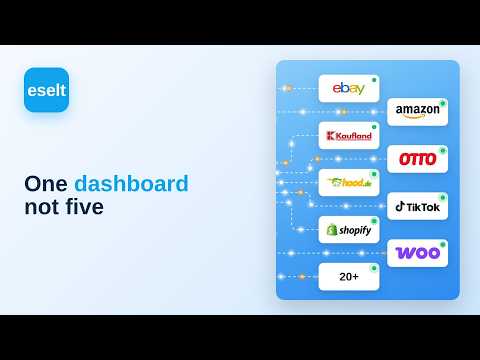
Connect Kaufland with eBay, Amazon, WooCommerce and Shopify – inventory and prices stay automatically in sync.

Kaufland eBay
  • Transfer products in both directions
  • Synchronize inventory across channels
  • Manage orders centrally
Learn More
Kaufland Amazon
  • Transfer products in both directions
  • Synchronize inventory across channels
  • Manage orders centrally
Learn More
Kaufland Otto
  • Transfer products in both directions
  • Synchronize inventory across channels
  • Manage orders centrally
Learn More
Kaufland hood.de
  • Move products to hood.de
  • Synchronize inventory across channels
  • Manage orders centrally
Learn More
Kaufland WooCommerce
  • Transfer products in both directions
  • Synchronize inventory across channels
  • Manage orders centrally
Learn More
Kaufland Shopify
  • Import listings into Shopify
  • Synchronize inventory across channels
  • Manage orders centrally
Learn More
3,000+
Active Users
5M+
Managed Products
10+
Years Experience

What Our Sellers Say

"Thanks to Eselt, we transferred our entire eBay catalog to Kaufland.de in a single day. The inventory sync works flawlessly."

Priya Venkatesh
Priya Venkatesh Multichannel Seller

"Kaufland was completely new territory for us, but with Eselt the setup took just minutes. And no more manual stock reconciliation – finally."

Emilio Carrasco
Emilio Carrasco Multichannel Retailer

"We sell on Kaufland, eBay and Amazon in parallel. Eselt keeps everything in sync – inventory, prices, orders. A huge relief."

Lauren Zhuang
Lauren Zhuang E-Commerce Manager

Frequently Asked Questions

Do I need a Kaufland Seller Portal account?
Yes, you need an active Kaufland Seller Portal account. If you don't have one yet, you can register as a seller directly at Kaufland.de. Once your account is approved, connect it securely to Eselt.
Can I synchronize inventory between Kaufland and eBay?
Yes, that's one of our core features. When a product sells on Kaufland, Eselt updates the eBay inventory automatically, and vice versa. This reliably prevents overselling. The sync runs within minutes across all connected channels.
Which Kaufland marketplaces are supported?
Eselt supports Kaufland in Germany, Austria, Czechia, Slovakia, Poland, France and Italy. You serve all of them with one Kaufland account from Eselt.
Do I need EAN codes for Kaufland?
Yes, Kaufland.de requires valid EAN codes (GTIN) for most product categories. Eselt helps you assign and validate EAN codes so your products get approved immediately.
Can I import my existing Kaufland listings?
Yes, you can import all your existing Kaufland listings into Eselt with one click. Product data, images and variants are fully transferred – so you can start cross-channel synchronization right away.
Do I need to modify my existing listings?
No, Eselt connects to your existing Kaufland product catalog and syncs what's already there. Your listings, images, prices and descriptions remain exactly as they are.
Is the Kaufland Listing Tool free to try?
Yes - Eselt is free to start, no credit card required. All paid features are free to test for 30 days. After that you simply pick a plan based on your number of products.
How does the AI Assistant help with Kaufland offers?
You select the products and start the AI Assistant. It analyses your product images and the data from your other channels and suggests the category, attributes, title, description and GPSR details for Kaufland. After your review you accept the suggestions and list the offers.
Can I transfer products from eBay or Amazon to Kaufland?
Yes, cross-channel transfers are simple with Eselt. You can import products from eBay, Amazon or WooCommerce and list them on Kaufland.de with one click – including images, descriptions and variants.
How are Kaufland orders managed?
Eselt fetches Kaufland orders automatically, with all the data you need for shipping. With a connected WooCommerce or Shopify store, every order is created there and processed as usual. Once it is marked as shipped in your store with a tracking number, Eselt reports the tracking number to Kaufland and the buyer is notified.

Reach new buyers on Kaufland.de without extra effort

Sign up free, connect Kaufland and start selling immediately.

Start for free