90 days free trial•No credit card required•Cancel anytime
Secure Migration•Save Time•No Data Lost•Keep Selling
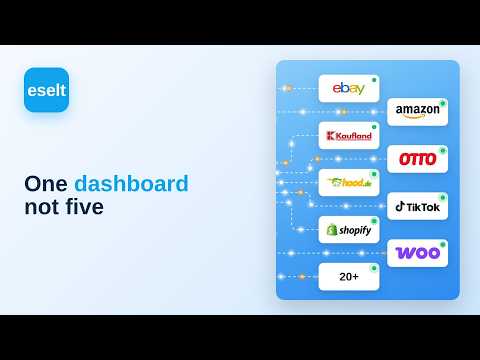
Sell across all major platforms
and more...
90 Days Free Trial
Try Eselt risk-free for 90 days. No credit card required.
Import Active Listings
Import your live eBay listings. No relisting. No lost sales.
Keep Your Templates
We help you migrate and rebuild your InkFrog templates.
Expert Migration Support
Our team is here to make your transition smooth and easy.
What happened to inkFrog?
InkFrog was shut down on June 1, 2026. If you used it, you now need to decide how to manage your eBay listings going forward.
No more access to stored dataSince the shutdown, product data, images and HTML elements stored in InkFrog are no longer accessible.
Old templates may no longer work reliablyInkFrog templates can break after the shutdown – including layout, images and HTML blocks.
You need a new listing management toolWithout InkFrog, you lose the system for editing, managing and updating your eBay listings.
Risk of having to recreate listings from scratchMany sellers fear having to rebuild their eBay listings entirely – a clear reason to switch to a reliable InkFrog alternative as soon as possible.
Yes. You can connect your eBay account to Eselt and import your active eBay listings. After the import, you can edit them in Eselt, assign an Eselt template and update the existing eBay listings instead of creating new ones.
What you should replace now after InkFrog shut down
Your eBay listings stay online, but InkFrog elements such as images, templates and saved settings have been gone since June 1, 2026. Check now what needs to be replaced in your listings.
Replace your images
InkFrog hosted your images. Since the shutdown, these image URLs may stop working. Listings can then show broken image icons. Upload the images again and re-insert them.
Rebuild your templates
InkFrog templates are not transferred automatically. Without new templates, your listings can quickly look unprofessional and lose trust.
Check profiles and settings
Check the shipping, return and payment profiles of your listings. Without cleanup, errors and missed sales are possible.
InkFrog template
Eselt template
We help you rebuild your existing InkFrog design with Eselt.
Our team reviews your current listings and creates a modern, stable Eselt template that presents your brand professionally and remains maintainable long term.
Yes. InkFrog was shut down on June 1, 2026. eBay sellers who used InkFrog to manage listings, templates and product data now need an alternative.
What happens to my eBay listings after inkFrog closes?
Your published eBay listings remain active on eBay regardless of InkFrog closing. eBay manages the live listings. InkFrog was just the tool used to create and manage them. However, you no longer have access to the product data, templates and bulk editing tools stored in InkFrog.
Can I import my inkFrog listings into Eselt?
You can import all your active eBay listings into Eselt directly from eBay with one click. Since Eselt connects via the official eBay API, all your current listings, images and product data are transferred automatically – no export files needed.
Do I need to relist my eBay products?
No. Eselt imports your active eBay listings and lets you edit them in place. You can update titles, prices, descriptions and apply new templates without relisting from scratch – keeping your sales history intact.
Will I lose watchers on my products?
No. Because Eselt updates your existing eBay listings rather than creating new ones, your watchers, sales history and ranking are preserved throughout the migration.
Can I keep my old inkFrog template?
If you want to keep a similar visual style, our team can review your current inkFrog template and advise how closely it can be recreated using Eselt templates. Contact us and we will help you find the best match.
Can Eselt recreate my eBay template design?
Yes, in many cases. Eselt offers a wide range of professional, responsive eBay templates. Our team can assess your current design and recommend an Eselt template that closely matches it – or help customize one for you.
Can I test Eselt before paying?
Yes. You can start with a 90-day free trial – no credit card required. This lets you import listings, apply templates and test the full workflow before committing to a paid plan.
Do I need an inkFrog export to switch?
No. Eselt imports your active listings directly from eBay, so you do not need an InkFrog export file for the migration. If you still have template HTML or custom images saved on your computer, you can reuse them in Eselt.
In which countries is Eselt available?
Eselt is available in many European countries, as well as in America and Australia. It is built for international eBay sellers who want to manage listings across multiple markets from one place. The platform is available in English, German, Polish, Spanish, French and Italian, with GPSR support and EU-compliant data storage.
Ready to move from inkFrog to Eselt?
Start your 90-day free Eselt trial and see how easy it is to import your active eBay listings, apply professional templates and continue selling without starting from scratch.